Buttons clicked, pages viewed, PDFs downloaded - through website activities (=behavioral data) visitors tell you what they want and where they are in your conversion funnel. The same is true for contextual data - where visitors come from and who referred them indicates how you should communicate with them.
Targeting options for behavior-based audiences
- New vs. Returning Visitor: For this condition, we chose a session-based membership, instead of remembering a "new visitor" for X amount of days since next time they come back to your website, they will be a returning visitor anyway. Keep in mind: We're not able to identify users who were on your page before you installed the Unless script.
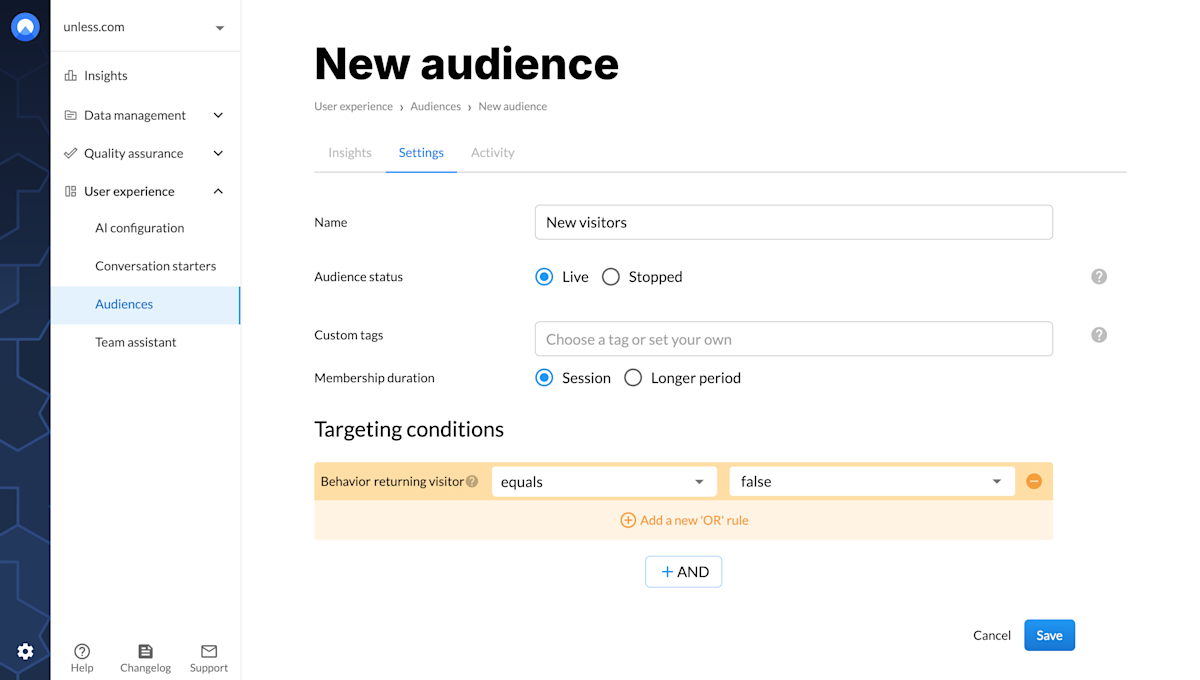 To create a "new visitors" audience, set returning visitor to "false".
- Page Referrer: Use this to target visitors who land on the page through a referral website, e.g. LinkedIn. The trigger "is empty" can be used in the opposite way to create a variation that is targeted at all direct traffic. Remember: for many websites, there are several different referrers (e.g. LinkedIn → m.linkedin.com, linkedin.com, l.linkedin.com,...), so it's best to check your Analytics and define the condition using "contains".
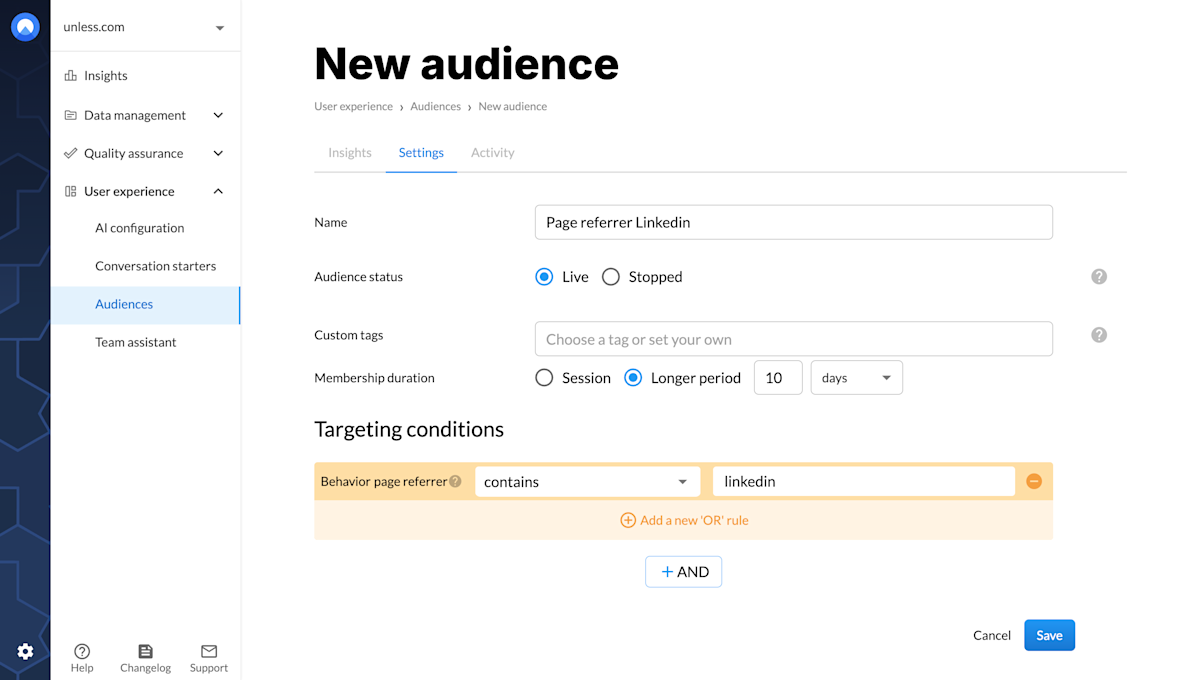 As you can see, we cover all possible LinkedIn referrers by using the condition "contains".
- Current Page (Path): Target visitors who have visited specific pages. The condition will trigger the moment a person visits the page you defined. They will remain in your audience for the duration of the membership.
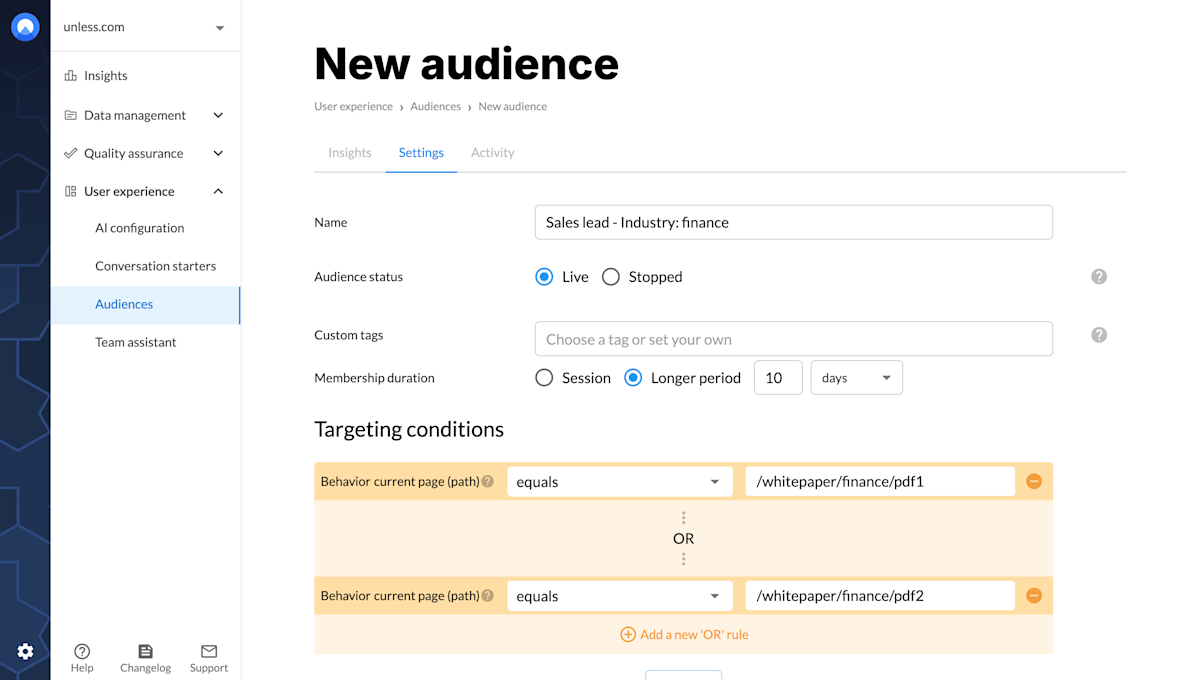 In the example above, every visitor who looks up one of the Finance PDFs will join the audience "Sales Lead - Industry: Finance". They will remain part of this audience for five days which gives us the opportunity to personalize their experience with targeted messaging - e.g. "We have the #1 solution for Finance& Banking".
Landing Page (Path): Target visitors who have entered your website through a specific page.
Current Domain: This condition is mostly used to create excluding audiences. Example: create an audience for "current domain contains blog.mysite.com" to exclude everyone who entered your website through the Blog from seeing experiences.
Cookie: Target visitors for whom a specific cookie has (not) been set by your application. You can even create new cookies.
Event: Set up an audience based on the occurrence of a page event. Example: create an audience "logged-in users" based on a login event. You'll need some help from your developers to set up this condition as it requires some knowledge about custom events. Assuming that you already fire the event, you need to start tracking it by adding the following javascript statement to the page.
  // use the eventValue parameter to override the default goal value.
  window._unless = window._unless || [];
  window._unless.push({eventName: ‘’, eventValue: 0});
Next, you can set up an audience based on the event name.
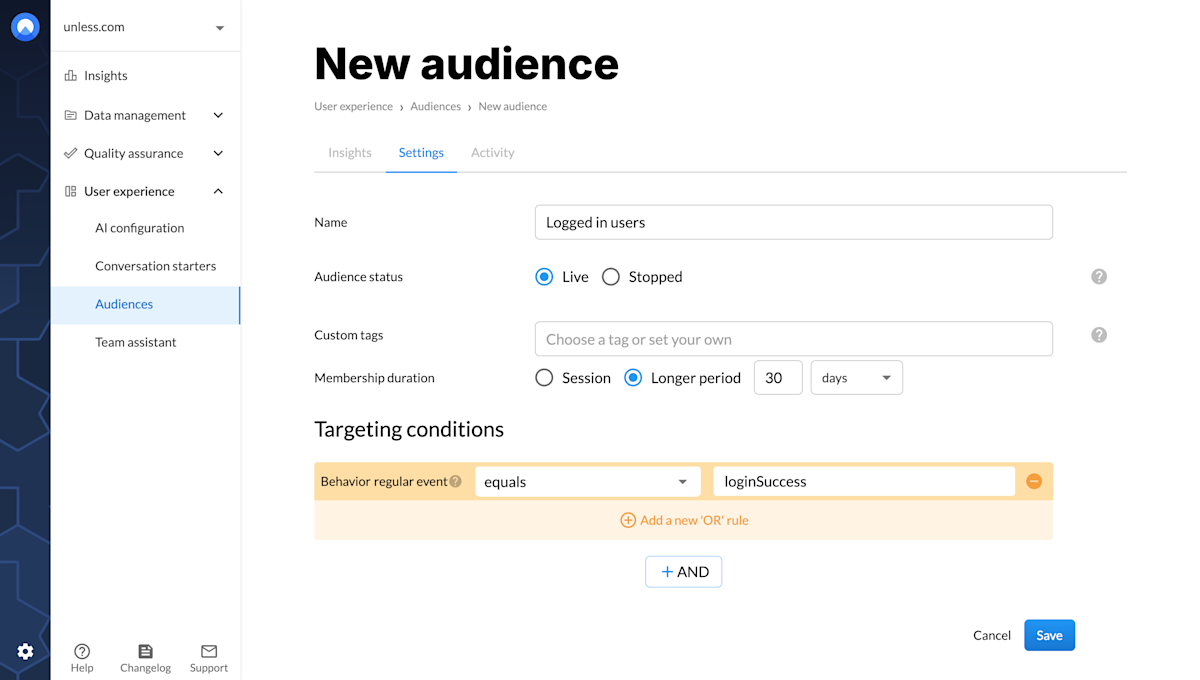 On the Unless website, we use an audience called "LoggedIn". It tracks whether a visitor performed the login event before. Through audience membership, we can then optimize their website experience to make it more relevant for customers of Unless.
Tips and best practices
- Remember to correctly use the AND/OR function. For example: Your variation can target users from two referral sources but a user can only be referred from one page at a time. So, use the "OR" function to combine those triggers.
- When applicable, try to use the "contains" trigger instead of "equals". This is especially true for triggers based on Page referrer.
- Unless checks your audiences in descending order. If the visitor doesn’t match the first audience, it checks the second audience, then the third, and so on. And if a visitor doesn’t fit into any audience you created, they’ll see the non-optimized, default version of your website.